How to Update itch.io Adult Games
How to update itch.io adult games depends on how you installed them. Games installed through the official itch app update automatically. Games you downloaded in the browser need a manual update: download the new build, extract it into a new folder and check that your saves carry over, which they usually do for Ren'Py games. The details below cover patches, save folders and what to do when an update breaks something.
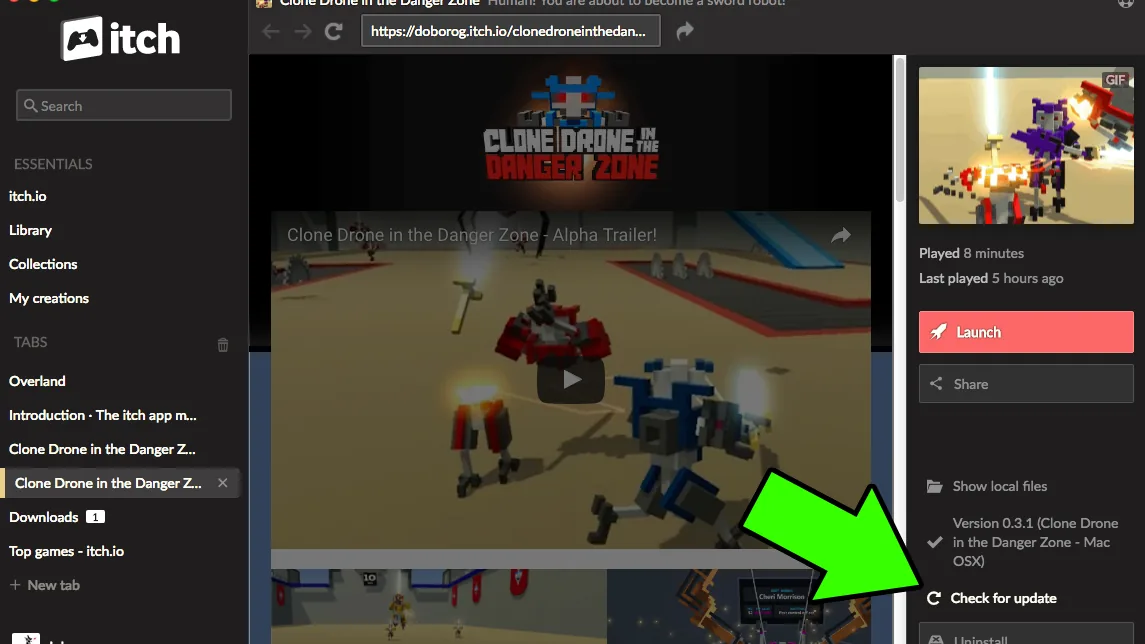
How to update itch.io adult games: quick steps
With the itch app (automatic)
- Install the official itch app from itch.io. It is free, open source and available for Windows, macOS and Linux.
- Install the game through the app rather than from the browser. The app keeps all your downloads in one place.
- Let it update. The app updates installed games automatically when the developer uploads a new build. If the developer uses itch.io's own upload tools, you only download the parts that changed.
From a browser download (manual)
- Back up your saves first (locations in the table below).
- Download the new build from the developer's itch.io page, the same page you got the game from.
- Extract it into a new, empty folder, for example
GameName-0.9next toGameName-0.8. Don't extract over the old version unless the developer says to. - Start the new version and load a save. Ren'Py games with default settings find their saves on their own. For games that keep saves in the game folder, copy the save folder across first.
- Delete the old folder only once a save loads and plays normally.
New to direct downloads? Our Windows install walkthrough covers extracting, SmartScreen and folder choice, and the Mac guide covers Gatekeeper.
Does the itch app update games automatically?
Yes. itch.io describes its desktop app as downloading and running games, keeping downloads in one place and updating installed games automatically. Browser games can also be synced into the app for offline play.
The small-download part depends on the developer. Builds pushed with butler, itch.io's command-line upload tool, arrive as delta patches, so the app only fetches what changed. You don't need butler yourself: it is a developer tool, and the app uses it internally.
The automatic updates apply to games installed through the app. A zip you downloaded in the browser and extracted yourself is, as far as we can tell, just a folder the app doesn't track, so either keep updating it by hand or reinstall the game through the app once and carry your saves over.
Patches vs full builds
Developers ship new versions in two ways, and the download list on the itch.io page usually makes it clear which is which.
| Full build | Update patch | |
|---|---|---|
| What it is | The complete game at the new version | Only the changed files, for a specific older version |
| Download size | Large | Smaller |
| How to install | Extract into a new folder | Follow the developer's instructions, usually extracting into the existing game folder |
| Works from | Any version, or a fresh start | Only the version it names |
A real example: when we checked, the itch.io page for Eternum offered an update patch from 0.8 to 0.9 at 2.1 GB, next to the full downloads. A patch like that only works if you are on 0.8; from anything older, take the full build.
Some updates are even more specific. For the Android version of A House in the Rift, the free downloads come as a separate launcher and a data pack, and updating means swapping the game's .rpa data file into the game folder next to the launcher.
If a patch is meant for a different version than yours, don't force it. Mismatched patches are a common cause of missing-file errors. Download the full build instead.
Where saves live
Knowing the save folder is what makes updates safe. Most itch.io adult games are Ren'Py or RPG Maker games.
| Engine and system | Default save location |
|---|---|
| Ren'Py, Windows | %APPDATA%\RenPy\<save_directory> |
| Ren'Py, macOS | ~/Library/RenPy/<save_directory> |
| Ren'Py, Linux | ~/.renpy/<save_directory> |
| RPG Maker MV (desktop) | <game folder>/www/save/ |
The save_directory name is set by each game, so look for a folder that matches the title. Ren'Py also lets a developer switch this off, in which case saves sit in a saves folder inside the game directory. Check both places before deleting an old version.
For RPG Maker MV games, saves live inside the game folder, so deleting the old version deletes them too. Copy the www/save folder into the new version first. We couldn't find an official statement of where RPG Maker MZ games save; back up the whole old folder to be safe.
On a Mac, a Ren'Py game comes as a single app with the game data inside it, and Ren'Py's own updater doesn't work with that package. Replace the whole app with the new download; your saves stay in ~/Library/RenPy.
Public builds vs Patreon early access versions
Many itch.io adult games have two or more versions in circulation at once. Supporters on Patreon or SubscribeStar get new builds first, and the free itch.io build catches up later. When we checked:
- A House in the Rift: 0.8.12 was the free itch.io build, 0.8.14 the paid Premium version on itch.io and 0.8.15 the Patreon early access build.
- Innocent Witches: 0.11.6-beta-fix4 was public, while supporters had 0.12.1-beta-fix4.
So if the itch app says you're up to date but a forum mentions a newer version, you are probably looking at a supporter build. It reaches the free page later. Moving between a supporter build and a public build can also cause save problems, since the public build may be older than your saves. Our Patreon releases guide explains how the timing works.
Troubleshooting
The game says my save is incompatible
- Check the developer's release notes. Developers sometimes warn that old saves won't work after big changes; if so, believe them and start again, or keep the old version until you finish what you were doing.
- Make sure you didn't load a save from a newer build (for example a supporter build) into an older public one.
- Keep the old folder until a save loads in the new version. That is the easiest way back.
Missing files or the game won't start after updating
- Extract the full build into a clean folder. Extracting over an old version can leave outdated files behind that clash with the new ones.
- Check the patch matches your version, as above.
- Don't run the game from inside the zip; extract the whole archive first.
- If you copied a Mac or Linux build through a Windows machine, Ren'Py warns that unzipping and re-zipping on Windows can strip the permissions needed to run it. Download it again directly on the target system.
Antivirus flags the new version
New builds of small indie games sometimes trigger warnings that turn out to be false positives, and sometimes they don't. Confirm the file came from the developer's official itch.io page, check it on VirusTotal (don't upload anything private, as results are shared with security partners) and look for a note from the developer. Don't switch off your antivirus to make a game run. Our guide to itch.io download safety covers the warning signs.
FAQ
Does the itch app update games automatically?
Yes, for games you installed through the app. Games you downloaded in the browser have to be updated by hand.
How do I update a game downloaded from itch.io in the browser?
Back up your saves, download the new build from the same itch.io page, extract it into a new folder and load a save before deleting the old version.
Where are Ren'Py saves stored, and will updating delete them?
By default in %APPDATA%\RenPy on Windows, ~/Library/RenPy on macOS and ~/.renpy on Linux, outside the game folder, so with default settings an update doesn't touch them. RPG Maker MV games keep saves inside the game folder, so copy them first.
Do I need butler to update itch.io games?
No. butler is itch.io's tool for developers. The itch app uses it behind the scenes, which is why app updates can be small.
Why is the itch.io version older than the one on Patreon?
Most developers give supporters new builds first and publish the free version later. The free build catches up with time.
More how-tos are on our guides page.
Related guides
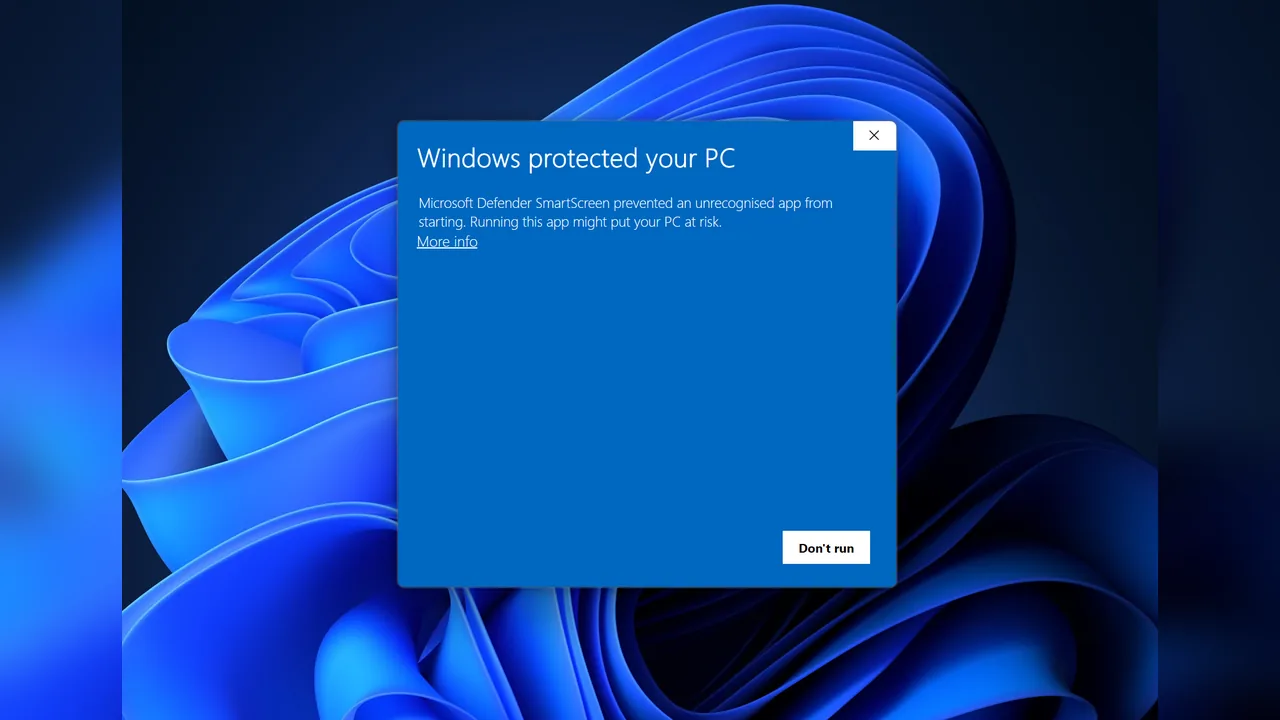 How-toInstall on WindowsHow to install adult games on Windows: extract the zip, get past SmartScreen, pick a folder, find Ren'Py and RPG…
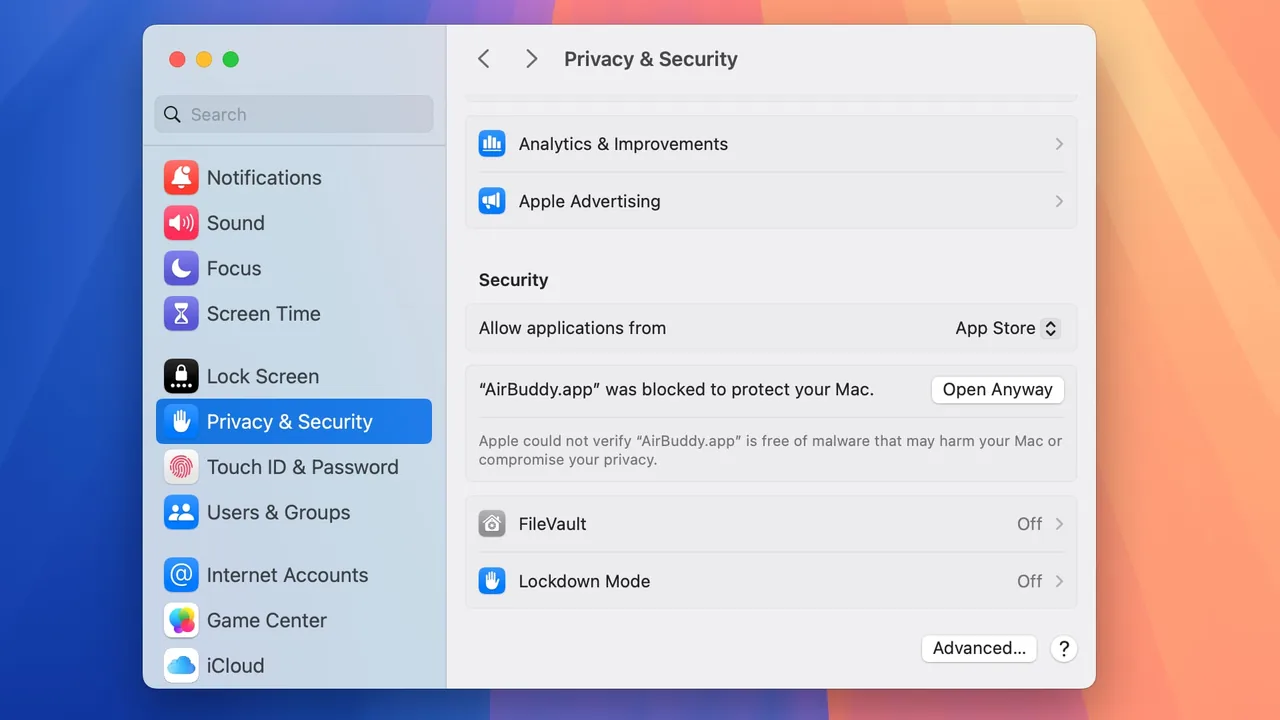 How-toPlay on MacHow to play adult games on Mac: which games have Mac builds, opening them past Gatekeeper, what Apple silicon and…
 How-toPatreon releasesHow adult game Patreon releases work: early-access vs public builds, tiers, how patrons get download links,…
 How-toAre itch.io adult games safe?Are itch.io adult games safe? What itch.io scans for, how to check a page and its developer before you download,…